
Using Transparent Logos
gumanov —Fri, 07/04/2008 - 00:32
Note: I decided to have two separate tutorials. One on having your fast dial fully transparent, and one on just using transparent logos (with a background color)
______________________________
Hey all!
I've noticed that not everyone knows how to use transparent logos..
Some dont even know what they are, so ill do my best to explain.
Logos which are Transparent do not have a set background.
What does this mean? It means that the user is able to change
the background color of the logo directly in Fast Dial!
Here's an example using transparent logos to make fastdial all black:
(Click to Englarge)
 Here's an example using transparent logos to colorize fastdial:
(Click to Englarge)
Here's an example using transparent logos to colorize fastdial:
(Click to Englarge)
 So how do you choose the background color of transparent logos?
Follow these Steps:
Setting up Fast Dial:
1. Go to you Fast Dial Preferences.
2. Change Scale Method to "default"
3. Go to "Appearance" Tab
4. Modify the following settings:
Cell: transparent transparent
Image: transparent transparent
Note: This is optional! You may modify any field to your liking! (you may use "transparent" in any field)
So how do you choose the background color of transparent logos?
Follow these Steps:
Setting up Fast Dial:
1. Go to you Fast Dial Preferences.
2. Change Scale Method to "default"
3. Go to "Appearance" Tab
4. Modify the following settings:
Cell: transparent transparent
Image: transparent transparent
Note: This is optional! You may modify any field to your liking! (you may use "transparent" in any field)
Finding a Transparent Logo: To browse the transparent logos available on this site, do the following: 1. Click "Logos" in the Top Menu.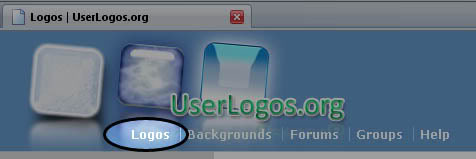

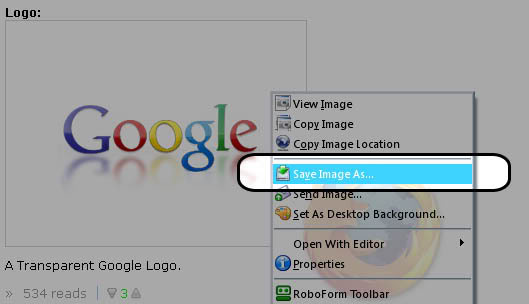
Back to Fast Dial: 1. Right click a "cell" and go to its properties.. 2. Fill in the information, and choose Background color.
 Here's an example using transparent logos to colorize fastdial:
(Click to Englarge)
Here's an example using transparent logos to colorize fastdial:
(Click to Englarge)
 So how do you choose the background color of transparent logos?
Follow these Steps:
Setting up Fast Dial:
1. Go to you Fast Dial Preferences.
2. Change Scale Method to "default"
3. Go to "Appearance" Tab
4. Modify the following settings:
Cell: transparent transparent
Image: transparent transparent
Note: This is optional! You may modify any field to your liking! (you may use "transparent" in any field)
So how do you choose the background color of transparent logos?
Follow these Steps:
Setting up Fast Dial:
1. Go to you Fast Dial Preferences.
2. Change Scale Method to "default"
3. Go to "Appearance" Tab
4. Modify the following settings:
Cell: transparent transparent
Image: transparent transparent
Note: This is optional! You may modify any field to your liking! (you may use "transparent" in any field)
Finding a Transparent Logo: To browse the transparent logos available on this site, do the following: 1. Click "Logos" in the Top Menu.
Back to Fast Dial: 1. Right click a "cell" and go to its properties.. 2. Fill in the information, and choose Background color.
- Printer-friendly version
- 3 votes
Online users
There is currently 1 user online.
Active - 15 mins:
Active - 15 mins:

Recent comments
-
Thanks for your insight forby: peter65418 sec ago
-
Hello I am so delighted Iby: peter65417 min 18 sec ago
-
Recently, I have commenced aby: peter65422 min 40 sec ago
-
Hey man, .This was anby: wakawaka14 hours 54 min ago
-
Hey there! For those lookingby: santiz15 hours 40 min ago
-
Hello to all. Proven to be aby: santiz15 hours 43 min ago
-
Hi! Many companies provideby: santiz15 hours 47 min ago
-
GREENby: wakawaka16 hours 15 min ago