
• myFAV.ES
  • Help Center
  • Tutorials
  • Extensions
  • Blogs


  • Logos
  • Logo Requests
  • Themes
  • Backgrounds
  • Forums
  • Contact
Home » Tutorials » Pixlr » Efreak15 » 11192011 » The Easiest Way to make a Transparent Logo with a 4:3 Ratio

The Easiest Way to make a Transparent Logo with a 4:3 Ratio

Efreak15 —Sat, 11/19/2011 - 11:42

In this tutorial I will explain the easiest way to make a 4:3 ratio (compatible with Fast Dial) Transparent logo out of a different size transparent icon. 

Note- This tutorial is only for transparent icons.  For nontransparent icons, see the tutorials section of UserLogos.

Background

All right, say you have just created a dial on your Fast Dial that links to digg.com.  Instead of the basic snapshot of the site in the cell, you want to make it look nicer with a digg icon you've found on the web.  (See icon below)

But when you try to load it into the cell it stretches to fill the width of the cell and looks horrible.  The reason this happens is because in Fast Dial versions 3.51 and up there is a limitation that allows for only logos of a 4:3 ratio to be correctly displayed. (In Fast Dial versions 3.51 beta1 and earlier, icons did not stretch if they were not 4:3 ratio) The digg icon I'm using has a *256X256 size (not a 4:3 ratio) so it stretches when I load it into the cell.

So the next step would be to somehow make into a 4:3(ex. 400X300) ratio without ruining the image quality.

Tutorial

So here are the step by step instructions on how to make the 4:3 logo using an online tool called Pixlr Editor:

1) Go to http://pixlr.com/editor/ Select the option that says load image from url (or computer) (the digg logo's url is http://icons.iconarchive.com/icons/land-of-web/globe-social/256/digg-icon.png
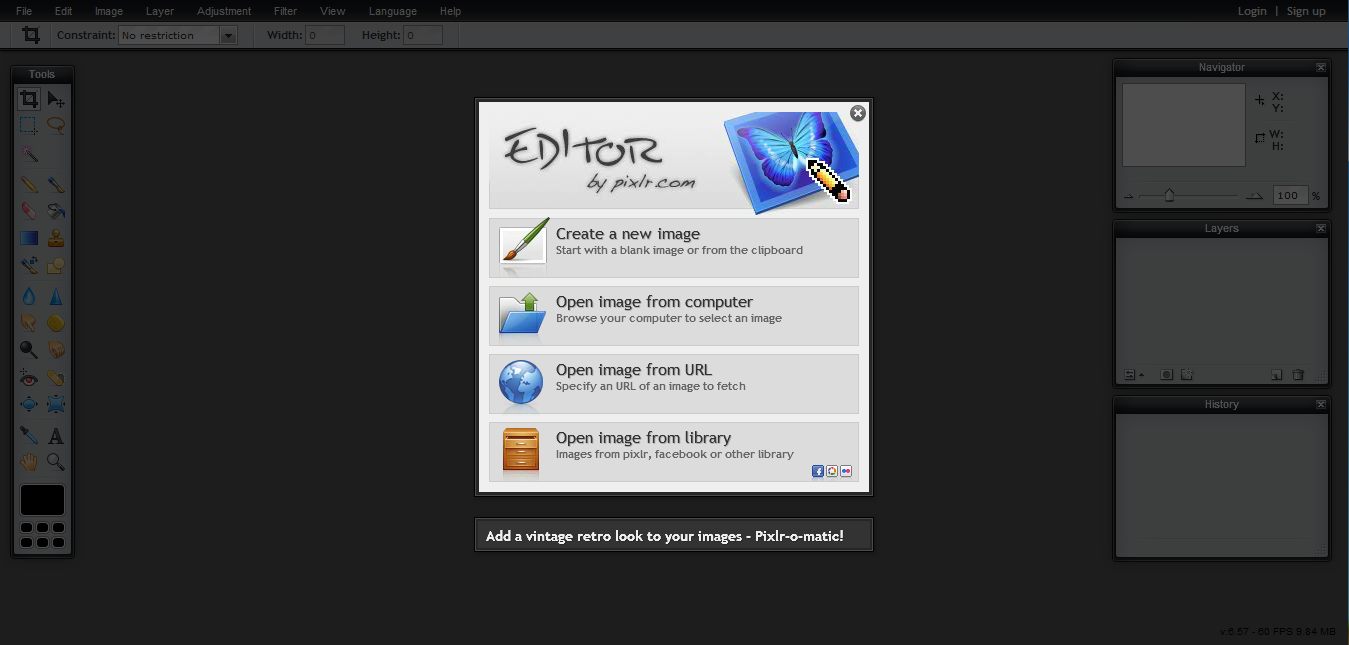
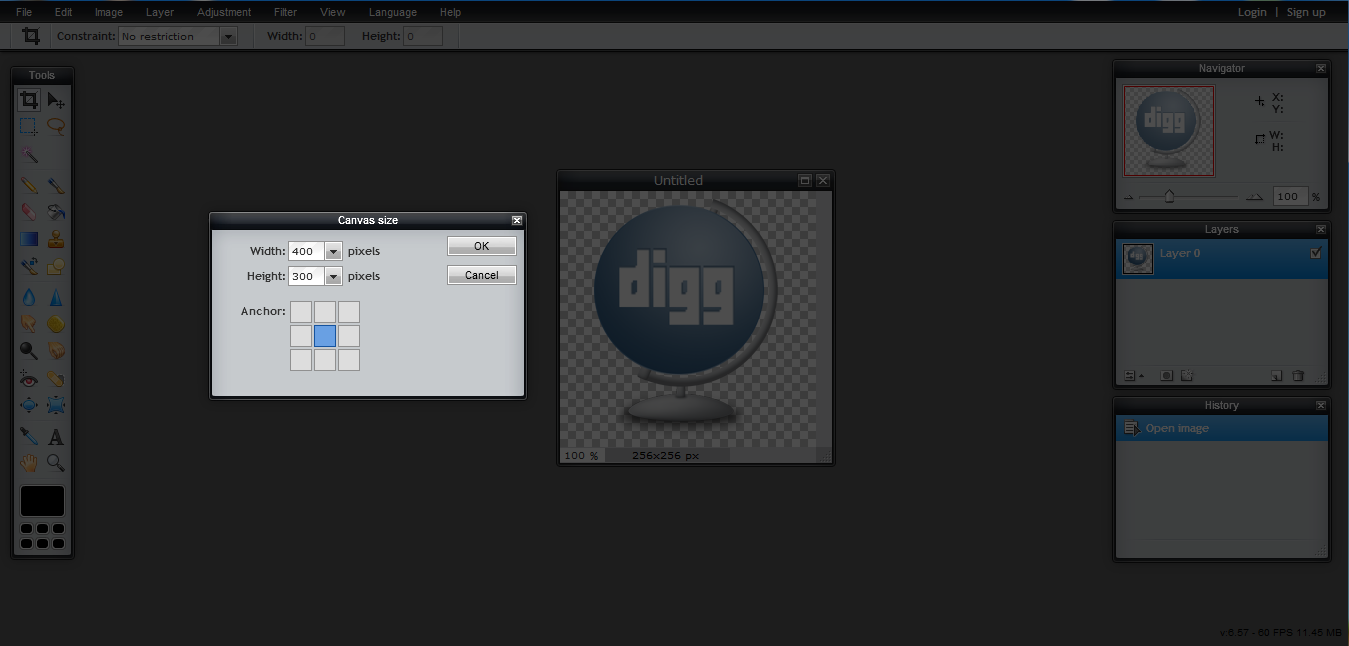
2) Once the image is loaded, Look at the top strip, select Image>Canvas Size. Type in for width 400, and for height 300. Make sure to center the image by clicking the square in the middle. Click OK.
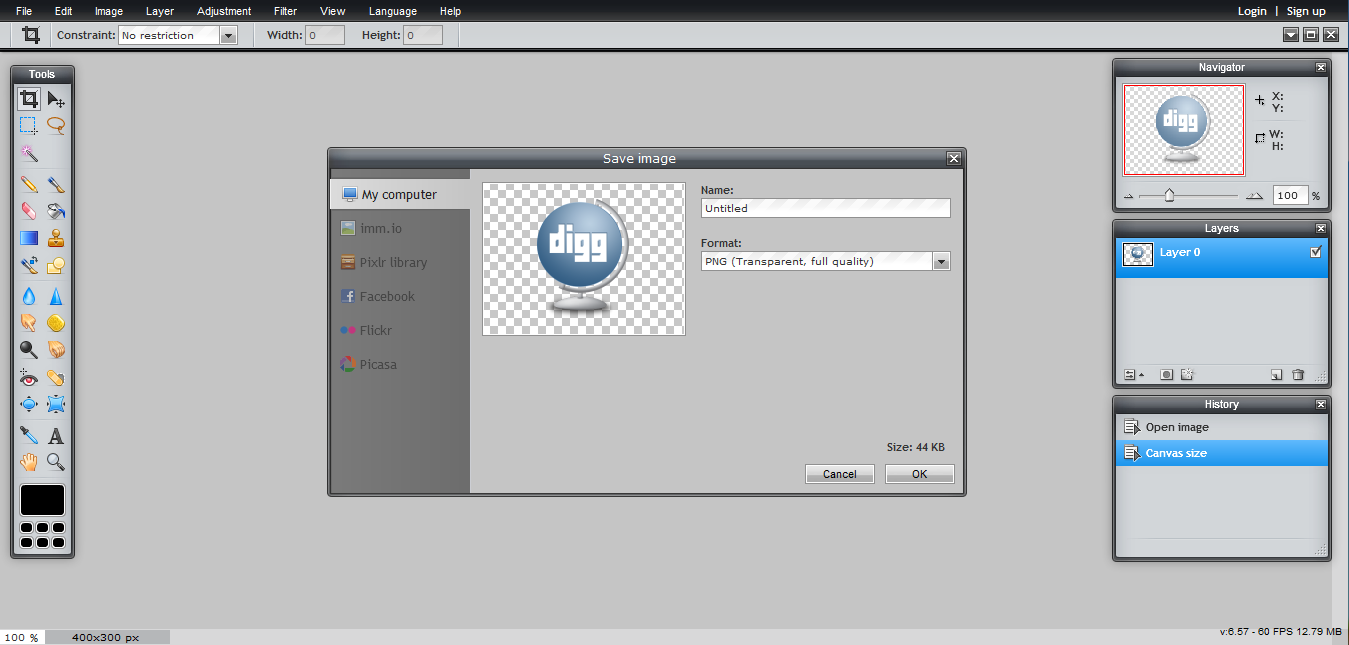
3) The image is now in a 4:3 ratio, now click File>Save, and make sure to save as a .png file. That's it!
Here's the result of loading the now 4:3 ratio digg icon into the cell:  It's that simple:)

*Note: If you start with an image/icon that has a larger width than 400 pixels, or a larger height than 300 pixels, you will have to resize( or crop) the original image.

Here's how to resize an image so it will fit the required 4:3 ratio:

I'm using this 432x37 logo:

In this case I only need to resize the width, because its over 400. The height is fine. It's way lower than 300 pixels.

1) Go to the top strip, select image>image size, then reduce the width to 400, making sure the constraint proportions option is checked. (The resized image is 400x34)

2) Now that the width is 400 pixels, I repeat the steps from the first part of the tutorial to create a 400x300 image:

Final result:

‹ How to use the Pixlr Grabber Extension up
  • Printer-friendly version
  • Log in or register to post comments or vote.
  • 0
  • 0 votes

Search logos

Search site

Navigation

  • Blogs
  • Forums
  • Online users
  • Recent content

User login

  • Create new account
  • Request new password
 
  • Changelog
  • Latest releases
  • Important links
 
 
  • Changelog
  • Latest releases
  • Important links
  • Support Forum
 

Top Rated

  • google.com
  • youtube.com
  • fast dial folder
  • wikipedia.org
  • Firefox Black
  • fd folders, folders, folder
  • generic gaming logos
  • mail.google.com, gmail.com, googlemail.com
  • Carbon Fiber
  • iphone app style icon template
more

Recent Polls

  • What are you resolution of screen use
  • Which version of Fast Dial do you run?
  • How often do you visit Userlogos?
  • Which FD iPhone logo format do you find preferable
  • How many themes do you run in Fast Dial ?
more

Online users

There are currently 0 users online.
Active - 15 mins:
No registered users :(
  • Last 24 hours

Recent comments

  • Royaledle has quickly gained
    by: Stewart44
    1 hour 47 min ago
  • Cigaronne | Exclusive Cigaronne Cigarettes for Discerning Smoker
    by: Jordan64
    2 hours 35 min ago
  • Predicting mortgage rates
    by: DakotaHanton
    6 hours 26 min ago
  • SMS verification is a common
    by: Stewart44
    3 days 24 min ago
  • Load Bank Equipment Manuf
    by: DakotaHanton
    3 days 11 hours ago
  • Benefits of Hiring a Legal Specialist for Your EU Citizenship Ap
    by: Stewart44
    4 days 1 hour ago
  • How to Maximize Your Viewing Experience with Kemo IPTV
    by: Jordan64
    4 days 3 hours ago
  • Step Into the Future of Smart Online Lottery Play
    by: DakotaHanton
    6 days 2 hours ago
more

Recent topics

  • A Credit Union I Actually Trust
  • Simple Navigation, Thoughtful Design
  • Nyugodt játékélmény a Fairspin casino oldalán Magyarországon
  • Why Fairspin Casino Became a Trusted Option for Me in Canada
  • Discover the Best UAE Casino Bonuses
  • Discover Exciting Promotions at Yay Casino
  • How to Use AiPPT: A Step-by-Step Guide for Beginners
  • Get Started with the Zula Casino Promo Code!
more

Top contributors

User Total user points
Mafia_Penguin 912
Deva 552
gumanov 490
jumpordie 471
Karmody 457
macleod.mac 402
ingalls 354
spaljeni 310
zigzag 290
Rog 265
Sastre 256
famecky 160
x-b 152
danger83 147
1air2philou 143
more

2008-2017 userlogos.org. All logos/images belong to their respective owners. Contact administrator.

  • Logos
  • Logo Requests
  • Themes
  • Backgrounds
  • Forums
  • Contact