
Resizing logos to 36x36 for Blackberry using The GIMP
macleod.mac —Tue, 12/16/2008 - 02:22
OK.
Resizing logos to 36x36 for Blackberry using The GIMP
First, open up your image in GIMP, going File > Open then navigating to the image:
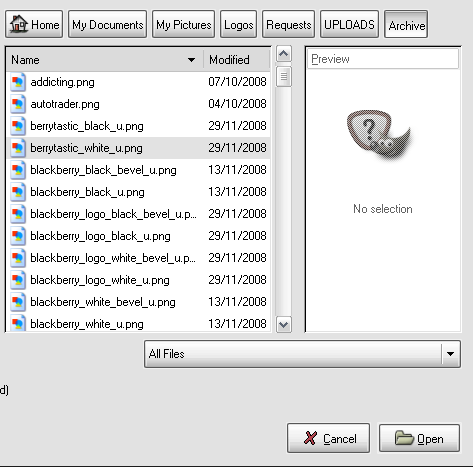
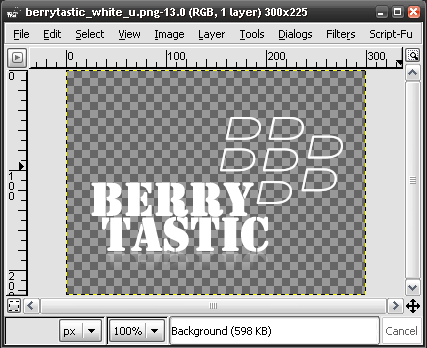
You should get something like this:
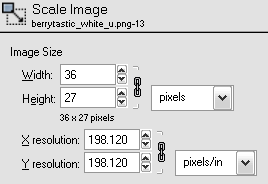
Find Image > Scale Image then select the following settings:
Then, find Image > Canvas Size and select the following settings:
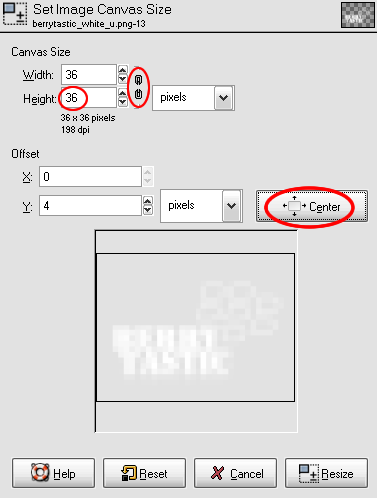
Make sure that the 'link' is broken and that you select 'center'
Then go File > Save As. Choose the location and file name and hit save, making sure it is saved as a .png
Select OK to the PNG settings page.
And you're done.
- Printer-friendly version
- 3 votes